Phenotype Reports
Easily share your cow's 3D "digital twin"
Share Individual Scans
Want to share a single scan? After uploading to the cloud,
simply log into the web app, find you scan, and under actions click "Manage Sharing". On
this tab you can easily active (and revoke) the share status of a given scan. When
sharing is active, you'll be provided a permanent url link that you can copy and share.
Anyone with the link will be able to view the scan in our 3d viewer, even if they don't
themselves have a boviphit account. On the sharing tab you'll also be able to track the
number of times your scan is viewed through your share link.
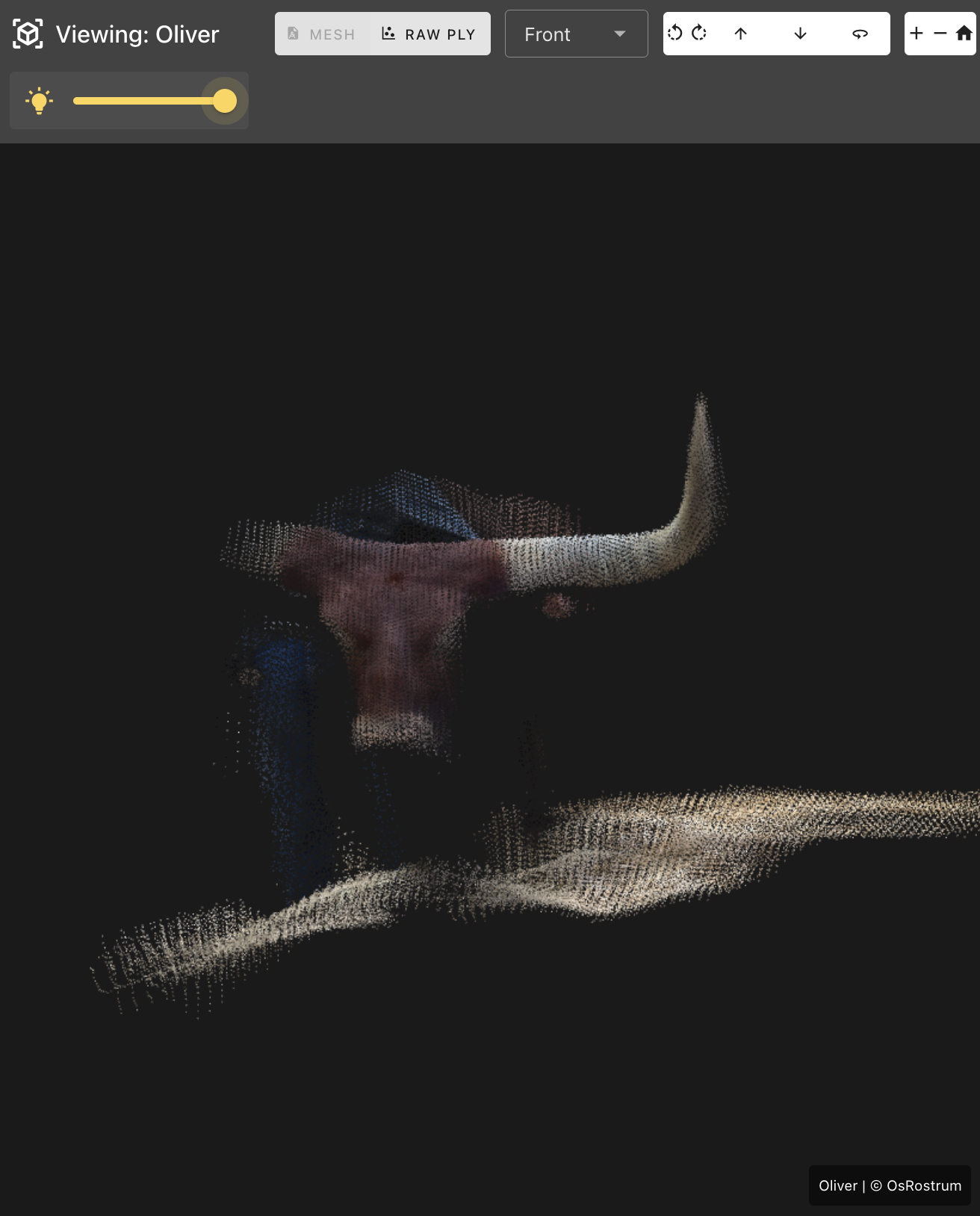
Check out our scan of
Oliver the Watusi's impressive horns
https://app.boviphit.com/scans/shared/20250929163508_8fb1e58c
Create a Phenotype Report
Want to share a more comprehensive picture of your animal's
phenotype? Create a phenotype report.
On the web app simply find the cow for which you want to create a report. Select the check
box beside any uploaded scans, image, or videos that you want to share, and click "Create
Phenotype Report". This digital content will then be collated into a dynamic digital report.
Add as many images and videos as you like at the top of the report. Use the "Edit Report"
tab to add, remove, and specify the order that images and videos are displayed. You can
add images and videos after a report is created, allowing you to easily add updated
photos to your sales catalogs after it goes to print
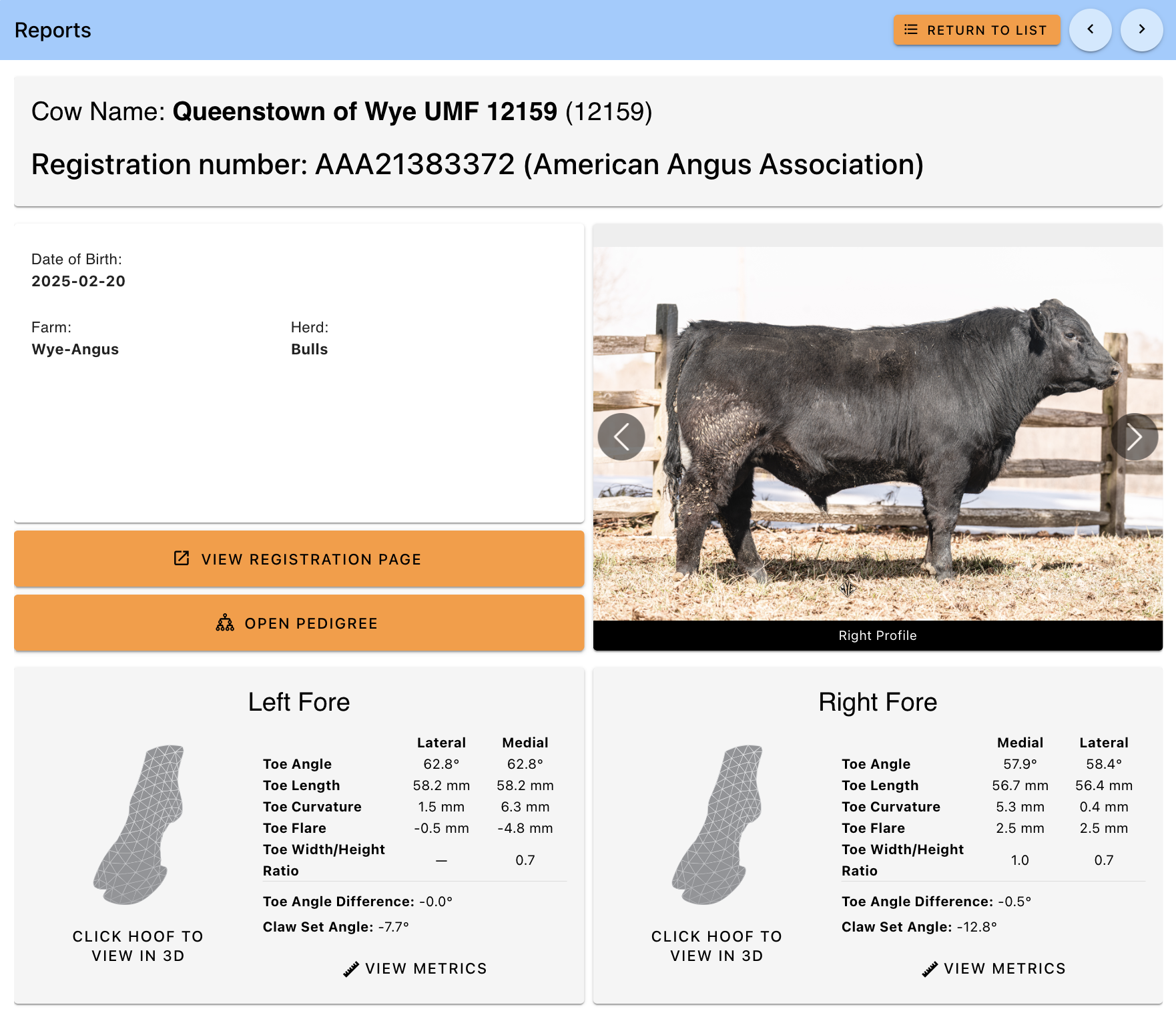
Links to 3D digital are added in the lower half of the report. For hoof scans, results of
the HoofPhiT measurement module are automatically added alongside the corresponding scans
(this information can be optionally removed on the edit tab). All scans of type other are
listed at the bottom of the report, allowing you to show off other key traits such as the
topline, udder, or scrotal scans.
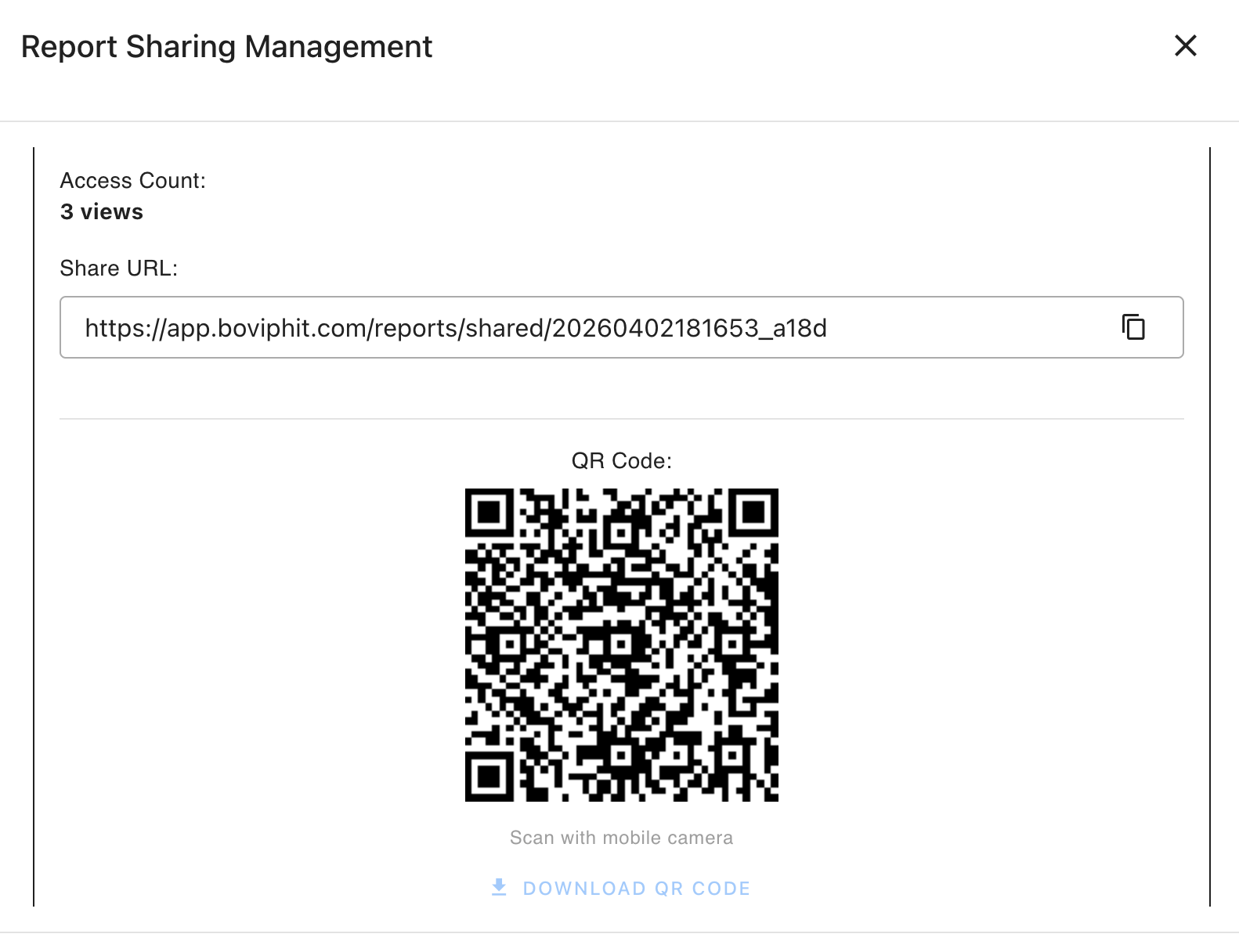
Reports can be shared through both permanent url links and generated QR codes. Simply find
the report you want to share on the web portal, click the actions tab, and selection "Manage
Sharing". Easily activate and revoke sharing status to the individual report and even make
it pedigree-searchable.
See our exampel report for Queenstown of Wye at http://app.boviphit.com/reports/shared/20260402181653_a18d
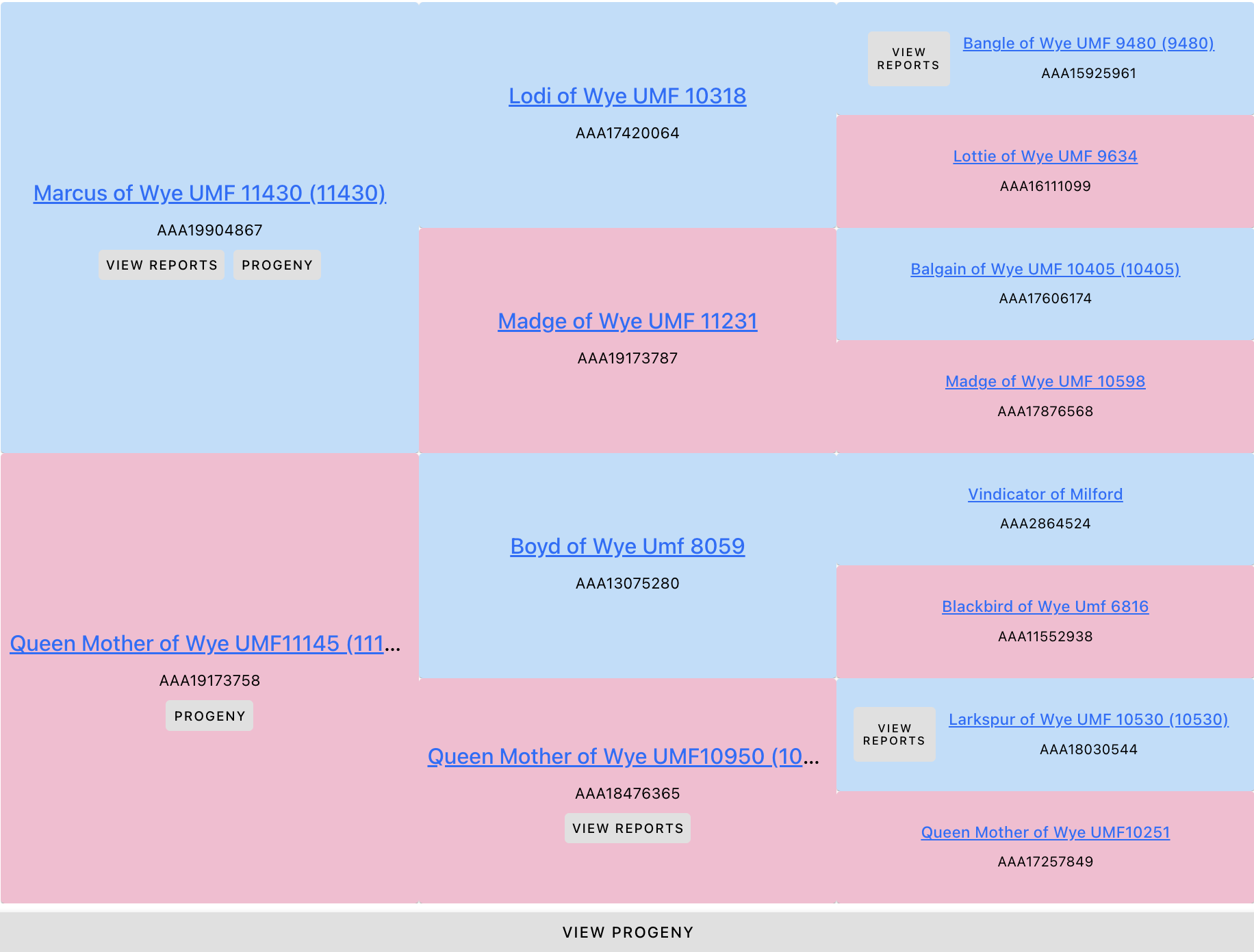
Phenogree Pedigree Explorer
A strong phenotype doesn't just happen over night, it comes
from generations of disciplined breeding. Our phenogree pedigree explorer allows you to
easily showcase this depth of breeding.
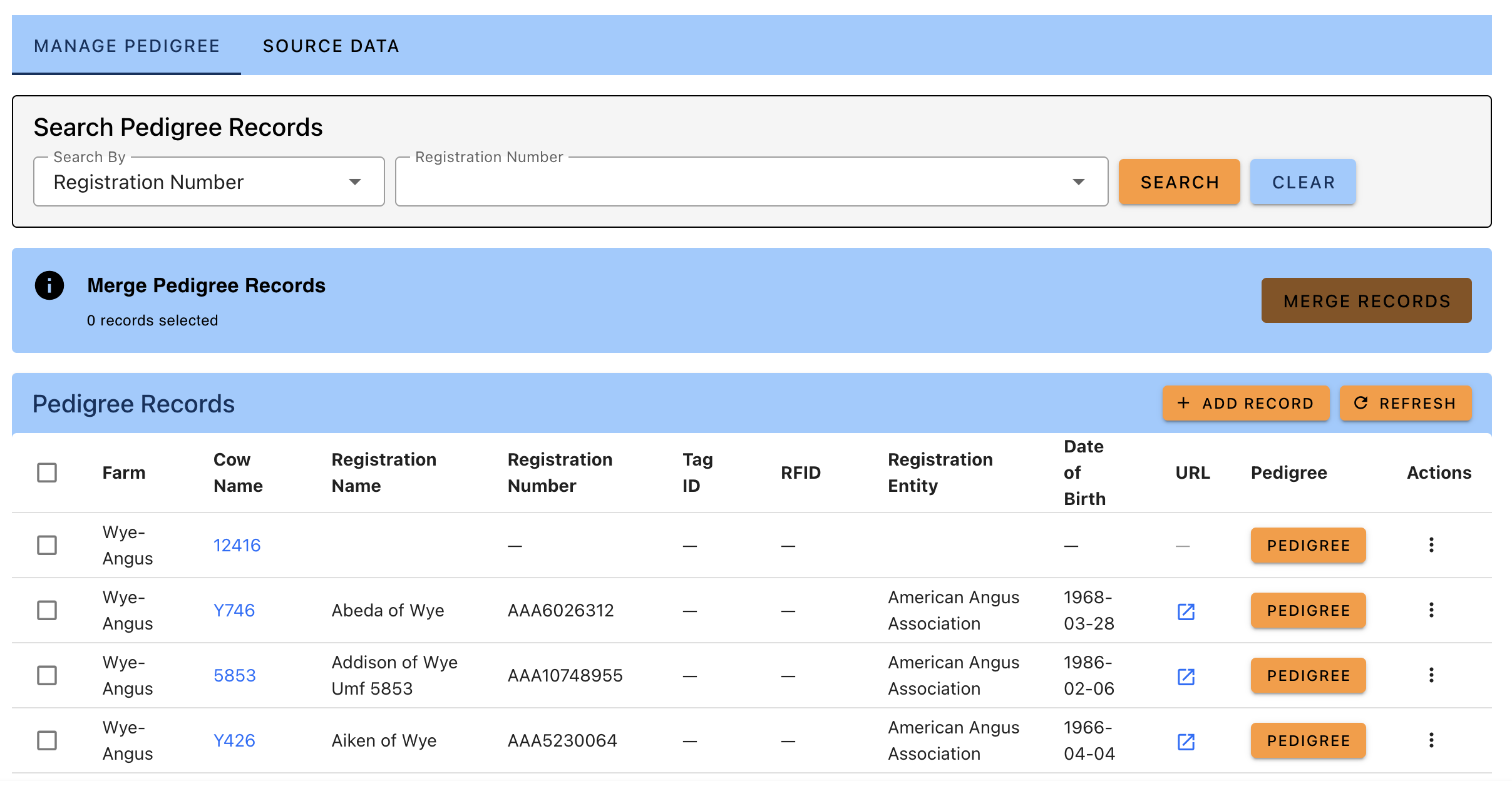
In the webapp you can manually enter
pedigree records for each animal, or upload a three-generation pedigree csv file for bulk
upload (currently supports angus format, other breeds coming soon).
Whithin a indivdual animal's pedigree you can navigate to the phenotype reports generated
(and marked as "pedigree searchable" under sharing option) not only for their ancestors, but
also easily search for maternal and paternal half siblings, or search for progeny they have
produced. Even for animals with no boviphit reports, easily navigate to registration pages
to view their genetic profiles.
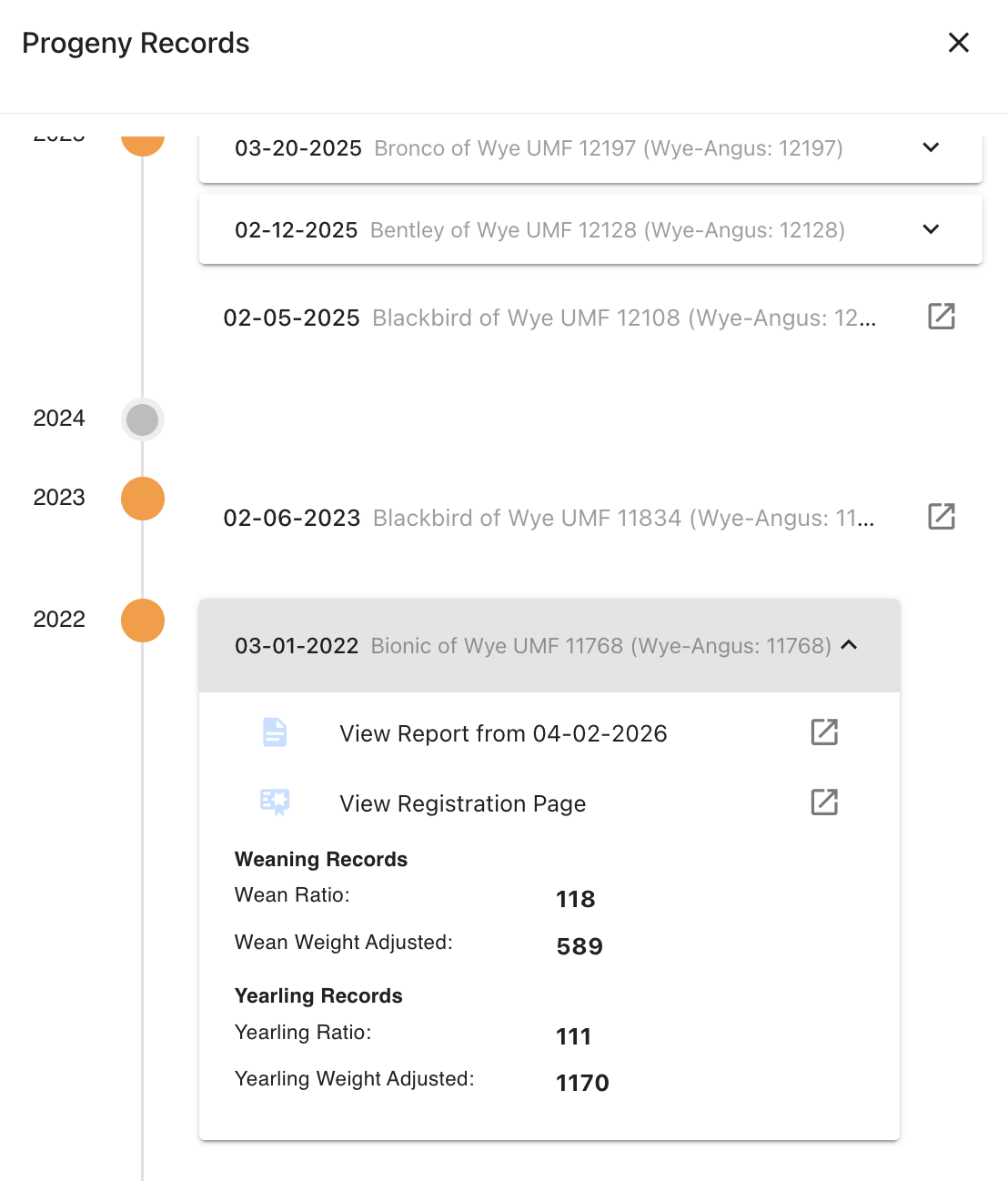
Progeny Summary Timelines
Got a cow that calved on time every year like clockwork, with respectable calving and weaning results. Now you can easily show that record off. The progeny tab will find all progeny linked by pedigree record to your cow, and collate that information into a easily scrolled timeline. Easily link viewers to phenotype reports for progeny, or if your pedigree uploads contain performance data - calving scores and weights, weaning and yearling weights - this data can also be displayed

Collate Reports into Digital Catalog
Want to share phenotype information for a cohort of animals.
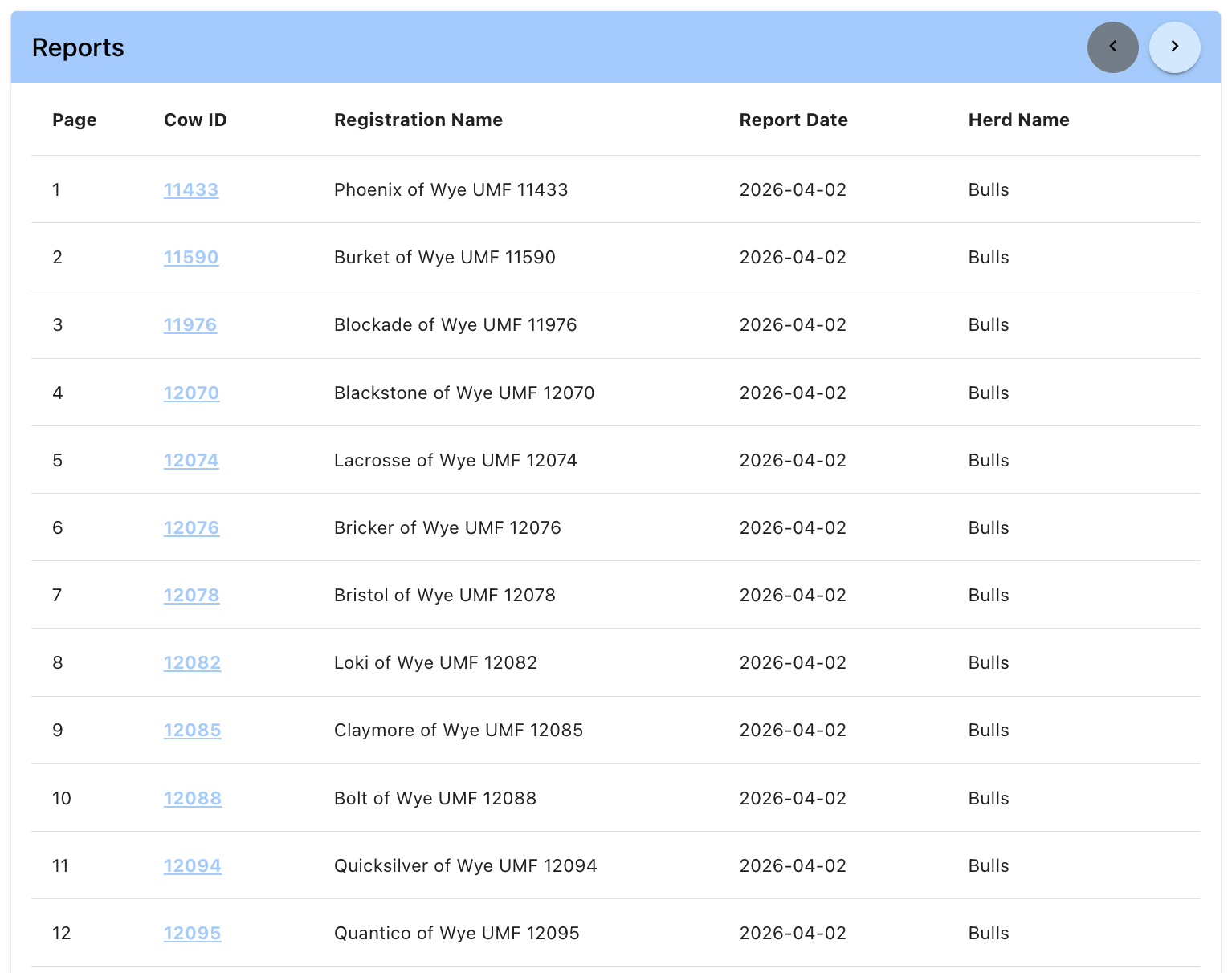
You can easily collate reports together into a multi-page digital catalog by navigating to
the reports tab, selecting all report you want to collate and then click the "Create
Catalog" button.
All catalogs can be viewed on the catalog tab. Easily manage the share status
active/inactive to create a permanent url link that anyone can view, no boviphit account
needed, or download a QR code to link to the report.
BovPhIT phenotype catalogs can be used as a digital supplement to your print catalogs, to
provide extra data that can be easily updated right up to the hammer. Or use our digital
catalog as a easier and lower-cost alternative to a proper print catalog.
Check out our digital phenotype supplement for the 2026 Wye Angus Spring Bull Sale at
https://app.boviphit.com/catalogs/shared/20260402183904_6755